 BulkPDF
Save every link on a page as a PDF
BulkPDF collects all the links on any page, or takes a list you paste, and saves each one as its own PDF, merges them into one, or both. It all runs in your browser.
For Chrome 116 and later. No account, no sign-up.
Three steps, any number of pages
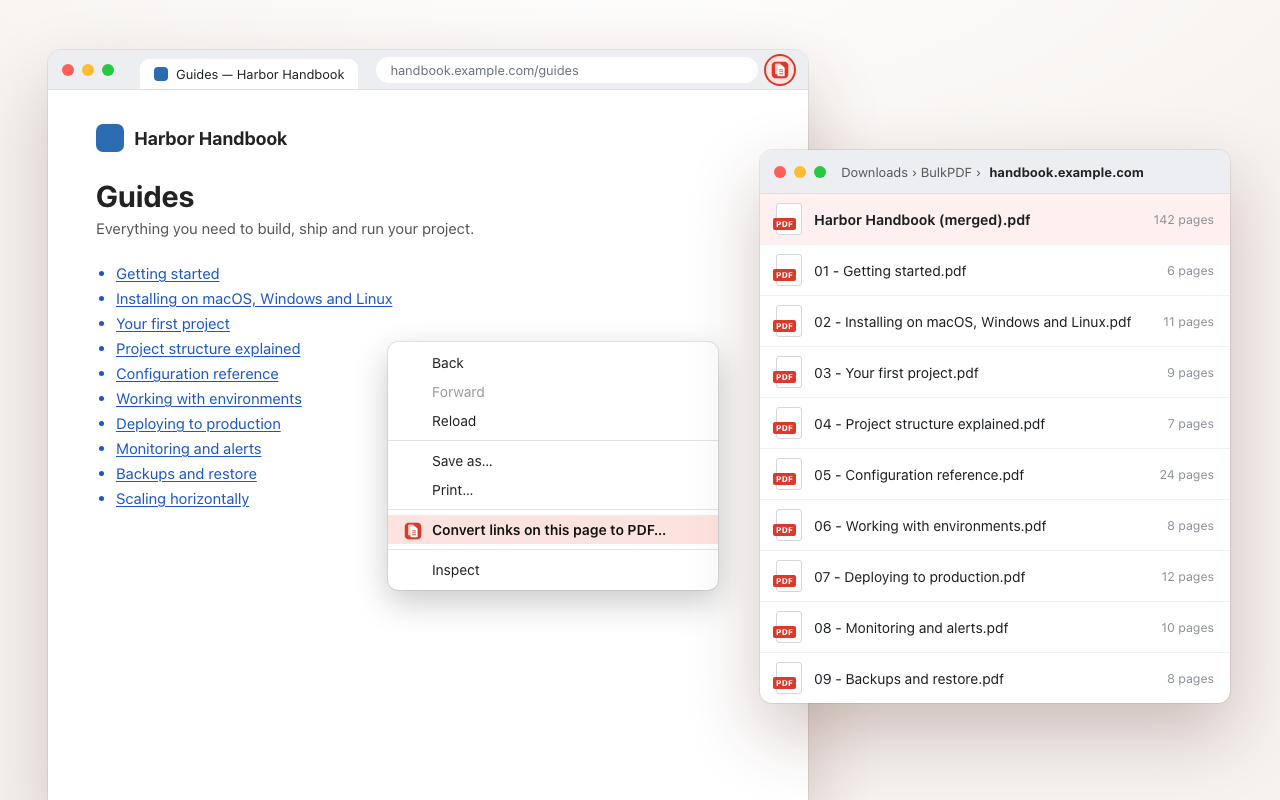
Click the toolbar icon
Every link on the page lands in a list, frames and web components included. Duplicates and ad links are removed for you.
Pick and reorder
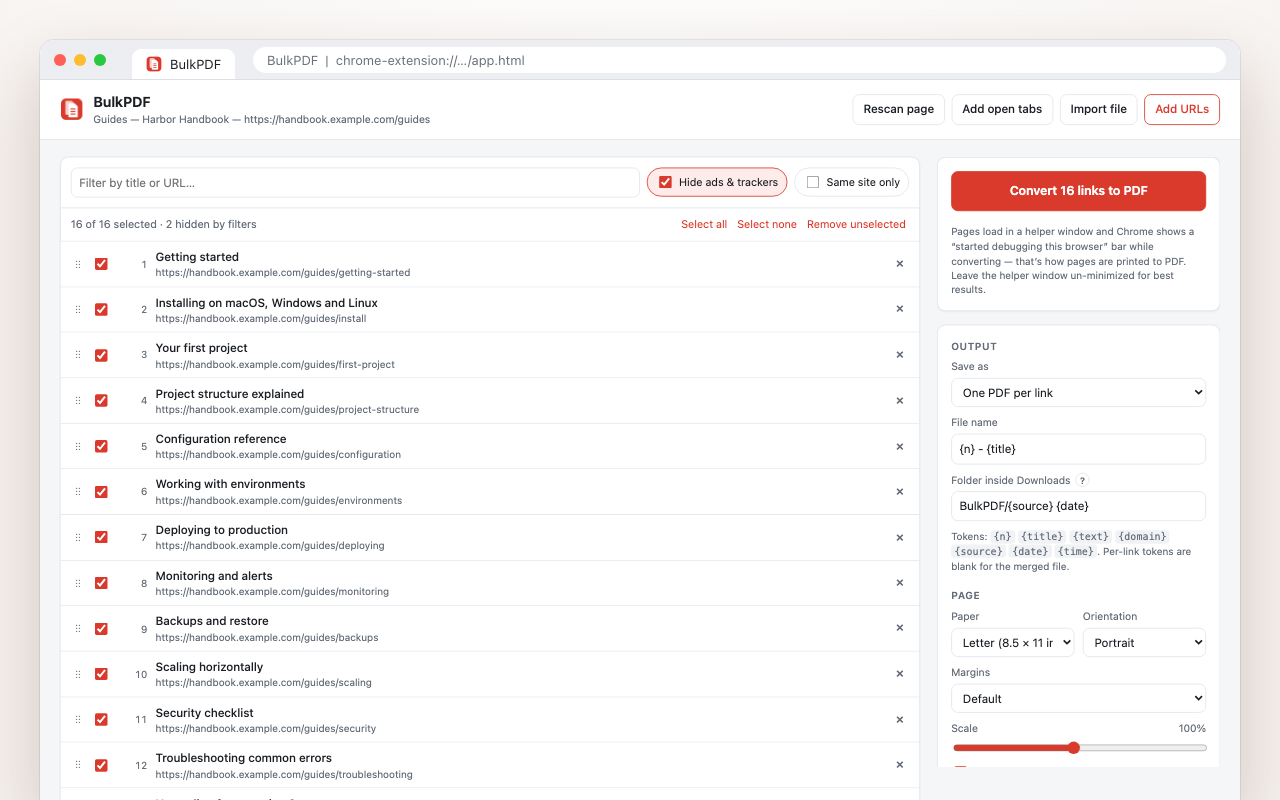
Filter by text or by site, untick what you don't need, and drag rows into order. That order becomes the file numbers and the page order of the merged PDF.
Get your PDFs
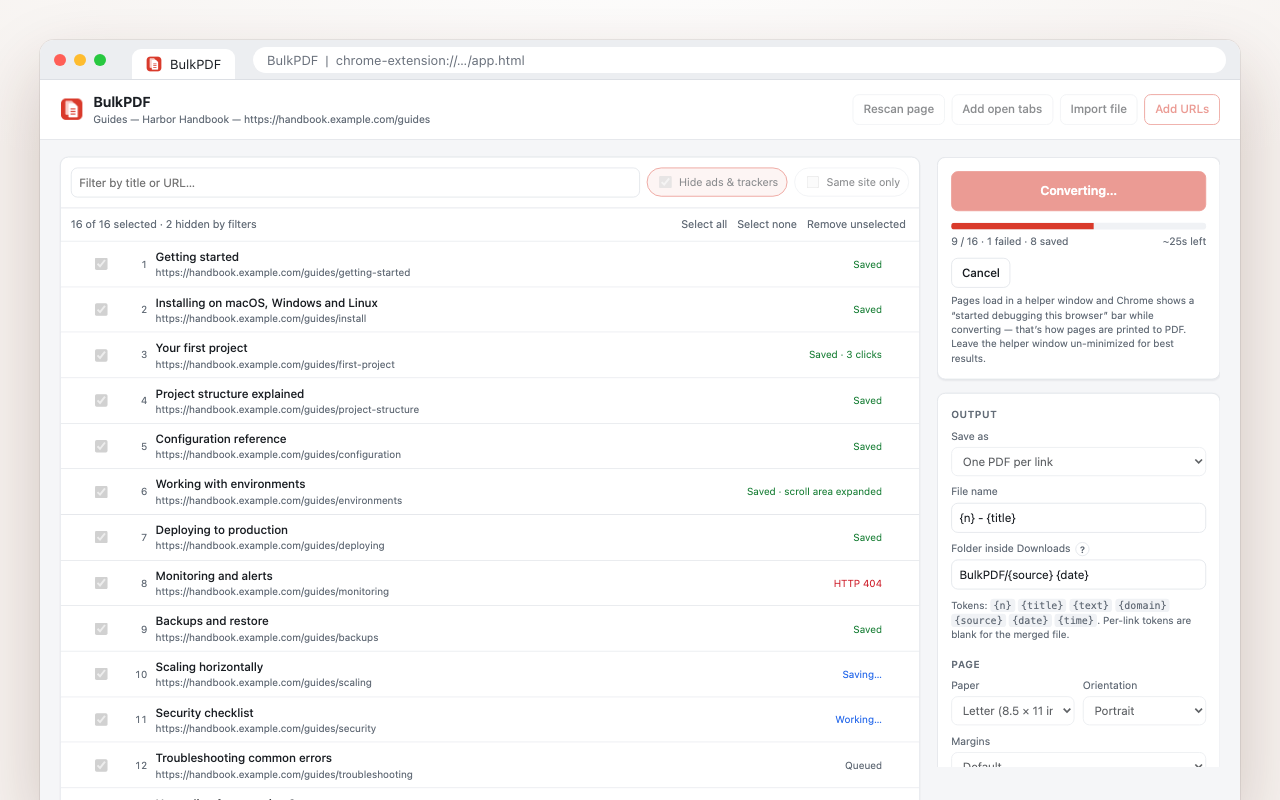
Up to five pages convert at once. Each row shows its progress, failed pages say why, and one click retries them.
One PDF per link, or one merged PDF
- Each page saved as its own PDF, numbered in list order
- All pages merged into a single PDF, or both at once
- Files named by number, title, link text, site or date, in folders such as
BulkPDF/{domain}
Links from anywhere
- Scan the current page, or right-click a selection or a single link
- Paste a list, import a .txt or .csv file, or add all open tabs
- Drag links or text in from another page
Built for big batches
- Progress and time left for every page
- Clear reasons when a page fails, such as HTTP 404
- Retry failed pages after raising a timeout
PDFs that look right
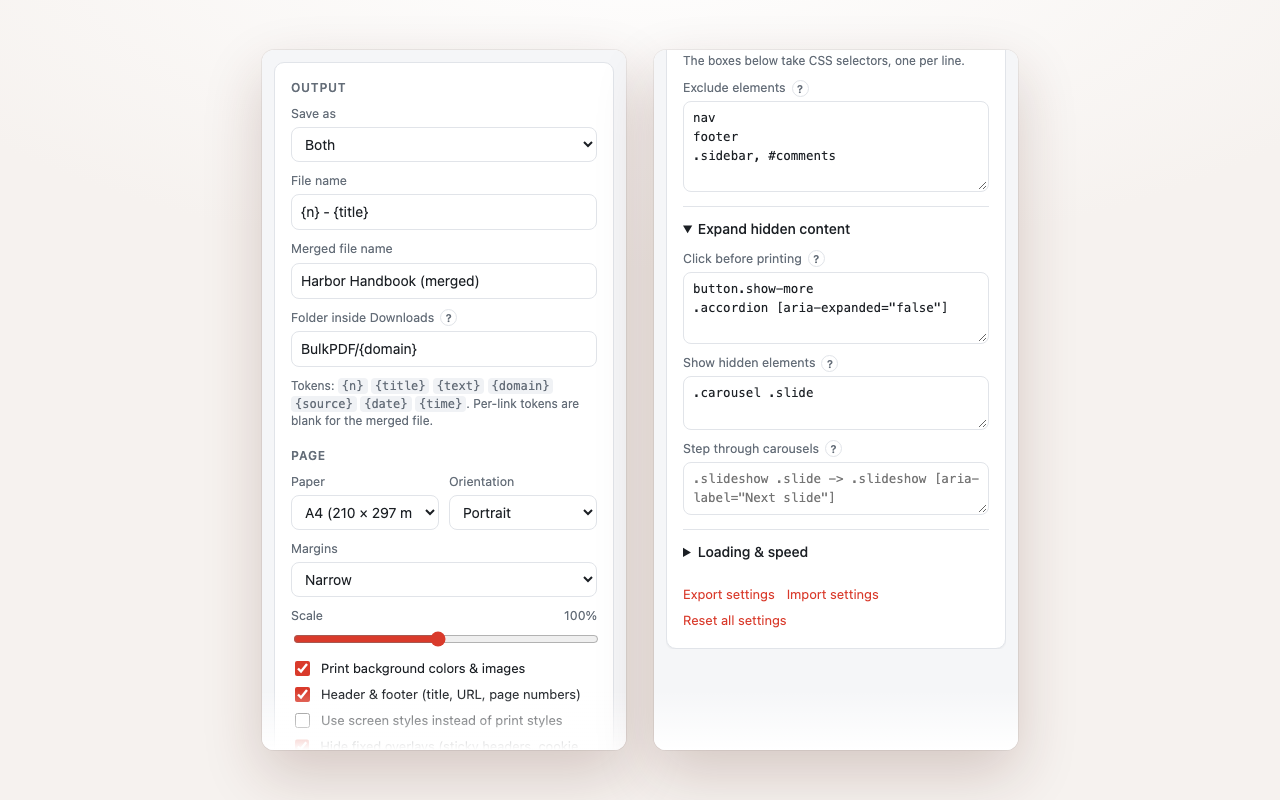
- Paper size, margins, scale, headers and footers
- Loads lazy images and infinite scroll before printing
- Clicks "Show more", opens carousels and tabs, hides nav bars and cookie banners
Your links never leave your browser
BulkPDF has no servers to send anything to. Pages load straight from their websites using your normal browser session, so pages you're signed in to can be saved too. PDFs go to your Downloads folder and nowhere else.